Graph designer
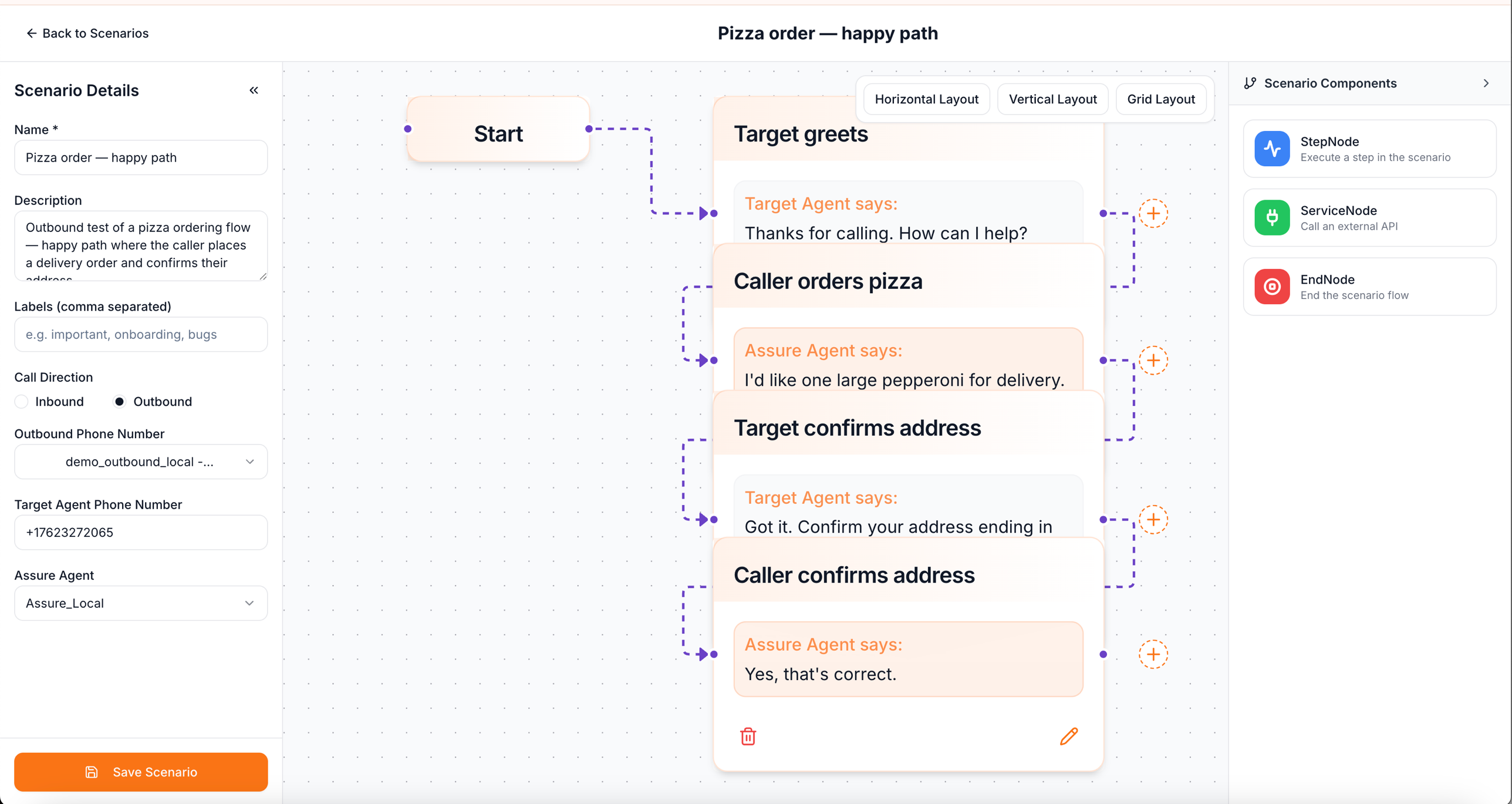
The graph designer is for scenarios where every turn is scripted and the conversation flow is deterministic — IVR navigation, fixed verification sequences, scripted demos. If your scenario is open-ended, use free-flow instead.
Node types
| Node | Purpose |
|---|---|
| Start | Implicit entry point. Each scenario has exactly one. |
| Step | One turn — caller speaks, target speaks, or both. Specifies what each side says or what the caller is expected to hear. |
| Branch | Conditional fork. Two flavors: ifElse (rule-based) and waitForResponse (split based on what the target says). |
| Service | A mocked HTTP call — used to simulate downstream services in flows where your agent calls into something we’re standing in for. |
| End | Terminates the path. A scenario can have multiple ends — different outcomes. |
Authoring flow
- Drag node types from the left palette onto the canvas.
- Connect them by dragging from a node’s edge handle to another node.
- Click any node to open its inspector and fill in the content (what’s said, branch conditions, service request/response, etc.).
- Click Auto layout to clean up the canvas — uses dagre to top-to-bottom or left-to-right.
How paths get generated
Each unique branch combination becomes a test path. A graph with two binary branches produces four paths automatically.
For service nodes, the platform varies the response across paths to cover failure modes — your agent gets the success response on some paths and the failure response on others.
Step nodes — speaker types
Each step belongs to one speaker:
- Target agent — what your agent says. The platform listens for this; the caller’s reply is what comes next.
- AssureAgent (caller) — what the simulated caller says. The exact text or a phrasing prompt.
When to switch to free-flow
If you find yourself:
- Adding many
waitForResponsebranches because real customers reply many ways. - Writing the same turn three times for slight phrasing variations.
- Wishing you could just describe the persona in English.
…then switch to free-flow. The graph designer’s strength is determinism; once you’re trying to cover variability, free-flow is the right tool.
Where to find it
Open any scenario with scenarioDesignStyle: graph from the Scenarios page. Free-flow scenarios open in a different designer.