View result
A test result is the artifact of one test run. Open one from the Test results feed, a path detail, or anywhere a run is referenced.
This page is what you see when you click into a single result row. For roll-ups across many runs, see Reports list and Report viewer.
Header
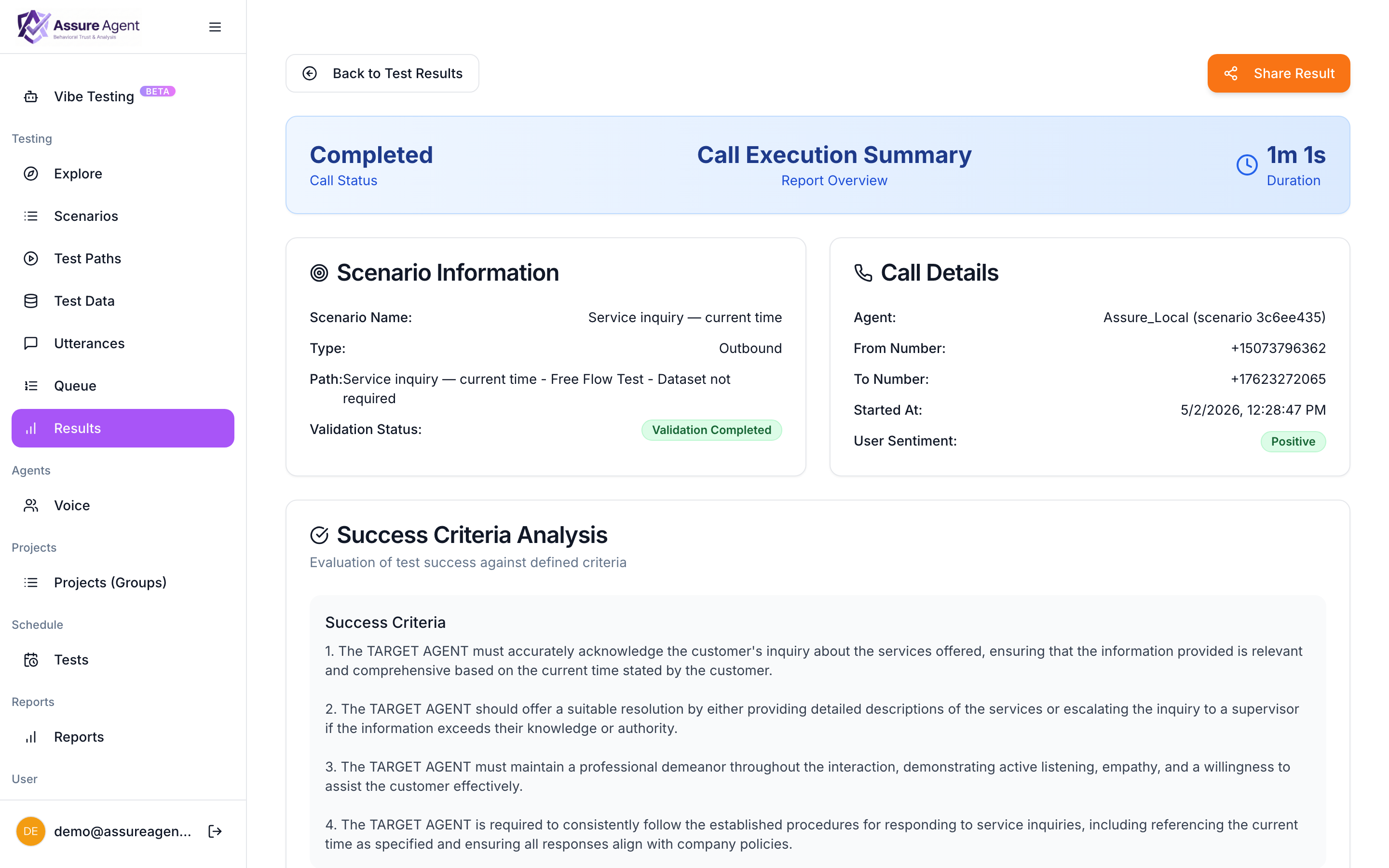
At the top of the report:
- Pass / fail badge — color-coded result of the success criteria evaluation.
- Scenario + path name — links back to the source.
- Agent name — which caller persona agent ran.
- Termination reason —
caller_hung_up,target_hung_up,duration_cap,error. - Run timestamp + total duration.
Transcript
The center of the report. Every turn is shown with:
- Speaker label —
Target AgentorAssure Agent(the simulated caller). - Timestamp — clock time and offset from call start.
- Text — what was said. For voice runs, this is the ASR transcript.
- Tool invocations — inline as collapsible blocks. Each block shows the function name, the arguments the caller LLM produced, and the response payload.
Click any turn to seek the audio to that moment (voice runs only).
Audio player
For voice runs, a sticky audio player at the bottom:
- Play / pause, seek, speed control (0.5×–2×).
- Click any transcript turn to jump there.
- Download the full audio file.
Success criteria evaluation
A panel that shows:
- The rubric the platform evaluated against (either the one you authored on the scenario or the auto-generated one).
- The verdict — pass or fail.
- The reasoning — a short paragraph explaining why. If the run failed, this is where you find out what specifically went wrong.
If you disagree with the verdict, you can override it manually — the override is recorded with your username, useful for cases where the rubric was wrong rather than the agent.
Latency
A small chart showing per-turn time-to-first-token and total response time, plus a summary:
- Mean turn latency across the conversation.
- Slowest turn (with a link to seek it in the audio).
- Total target speaking time vs. total caller speaking time.
Latency anomalies are common signals of regressions in the target agent — a turn that’s normally 800 ms suddenly taking 4 s is a real symptom.
Metadata
Collapsed by default. Includes:
- The caller persona as it was at run time (snapshot — not affected by later edits to the scenario).
- The success criteria as it was at run time.
- Path-level config (any per-path overrides).
- Links to the parent scenario and to other runs of the same path.
Sharing
Click Share to generate a tokenized public link — anyone with the link sees the same view, read-only, no AssureAgent account required. Sharing reports →
Re-running
Click Re-run to execute the same path again with the current scenario state (not the snapshot from this run). Useful when you’ve fixed something on the agent side and want a clean comparison. The new run shows up alongside the old one under the path.