
Create your agent
In AssureAgent vocabulary, an agent is the caller persona on our side of the conversation — the simulated customer that talks to your system. Every test call uses one of these agents to do the talking.
You’ll only need one to get started. We’ll attach it to your scenario in step 4.
Steps
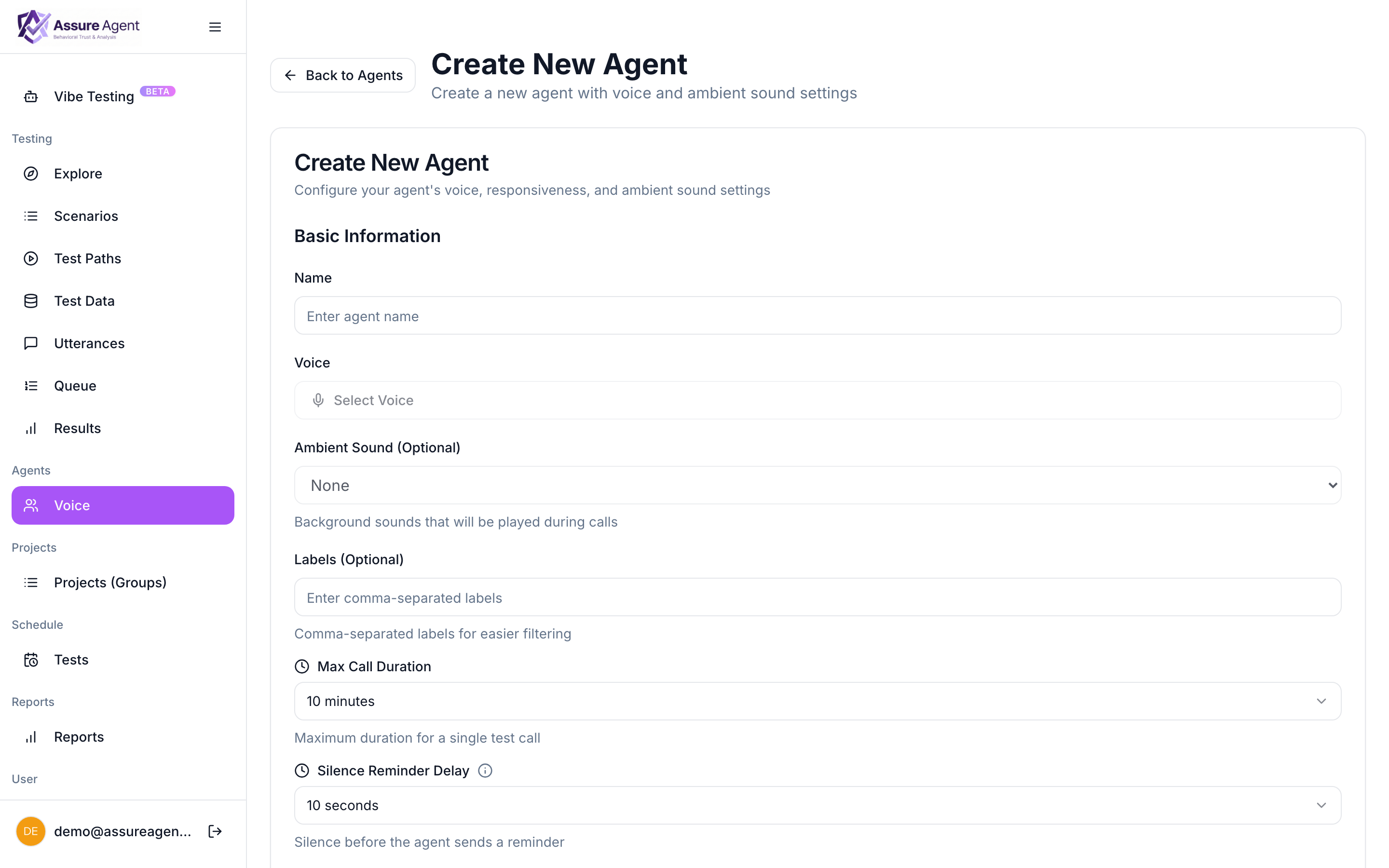
- From the left nav, click Voice under Agents.
- Click + Create Agent.
- Fill in:
- Name — a short label (e.g.
default-caller). - Voice — pick from the curated catalog. The voice is what your target agent will hear; it ships with the agent and is the same on every call.
- Responsiveness — how quickly the caller speaks after the target stops. Higher = quick replies, lower = thinking pauses.
- Interruption sensitivity — how easily the caller cuts in if the target trails off mid-sentence.
- Max call duration — hard hang-up cap. We end the call automatically at this limit.
- Ambient sound (optional) — background ambience like office hum.
- Name — a short label (e.g.
- Click Save Agent.
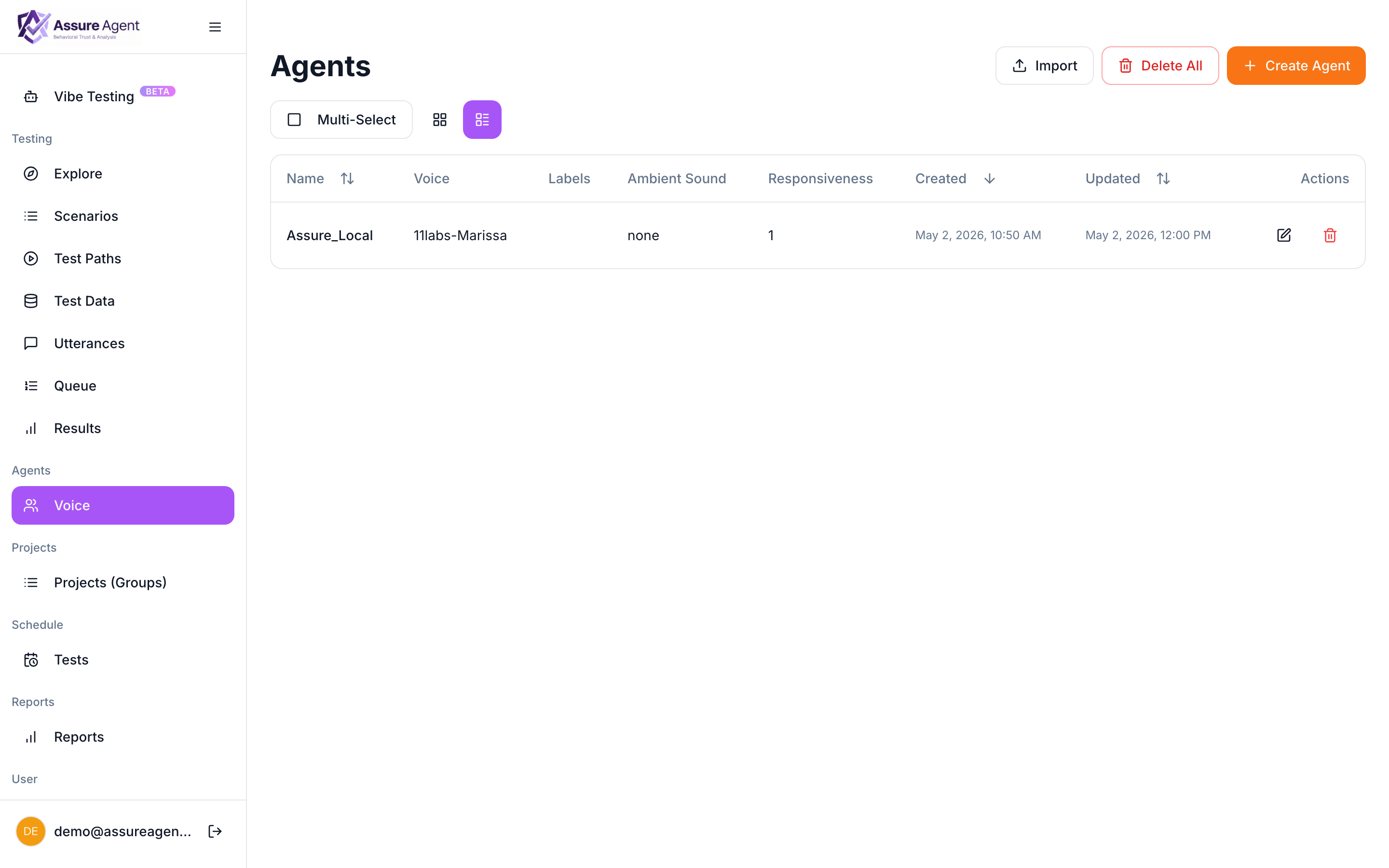
The agent appears in the Agents list immediately. You’ll attach it to your scenario in step 4.
Why these settings matter
Voice and ambient sound shape what your target hears — useful for stress-testing noise robustness or accent handling. Responsiveness and max duration affect the dynamics of the conversation and prevent runaway costs. Pick reasonable defaults to start (responsiveness 1, max duration 5 minutes) and tune later.
Next: provision a phone number AssureAgent dials your target from a number it owns. You'll need at least one.